

Compare Bitscale, Prospeo, Clay, Apollo, Cognism, and HubSpot enrichment by the records you need, the workflow you operate, and the cost of usable data.
5 Key Takeaways
- Bitscale is our first pick for RevOps teams evaluating a multi-source enrichment workflow; Prospeo is our pick for verified contact lookup. Start with the job you need to complete.
- Company enrichment and contact enrichment need different tests. A correct employee count does not establish that an email address belongs to the right buyer.
- Waterfalls can fill gaps across providers, but each additional source should justify its cost through usable new data.
- Preserve source, refresh date, and field ownership. An enrichment result should not silently overwrite a trusted value or move an account between sellers.
- Compare cost per usable record in your target segments. Database size and headline accuracy claims cannot answer that question for your business.
An enrichment run can fill thousands of fields and still leave the sales team with the same problems: the wrong company matched, a former employee listed as the buyer, or an employee count that moves an account into a different segment without explanation.
RevOps needs to know what the returned data enables. Does it identify the right account? Resolve a missing planning input? Give a rep a verified way to reach a relevant person? Those are separate outcomes, and they call for separate evaluation criteria.
This comparison uses product documentation reviewed in November 2026. It is a shortlist by use case, not a claim that we benchmarked every provider's accuracy. Bitscale leads for teams building an enrichment workflow across sources. Prospeo follows for teams whose immediate requirement is verified contact information. Clay, Apollo, Cognism, and HubSpot offer other useful starting points depending on the systems and resources already in place.
What does data enrichment actually add?
Data enrichment matches an existing person or company to additional information, then returns fields such as industry, headcount, role, email, or telephone number. The match comes first. Accurate information about the wrong company is still a bad result.
Verification answers a narrower question. An email verification result can support a decision about using an address; it does not by itself establish that the person has the right role, owns the relevant budget, or wants to hear from you. Keep identity, relevance, and contactability separate in the data model and the evaluation.
A waterfall tries providers in a sequence, often continuing when an earlier source cannot return a qualifying result. An orchestration tool manages that process and may add research or CRM updates. It can improve the workflow around data, but you still need to decide which sources and returned values to trust.
Choose the job before choosing the provider
Account enrichment supports segmentation, scoring, reporting, and territory design. Test company identity, domain, size, location, and the specific attributes your planning rules use. Include subsidiaries and brands: a shared domain can be a poor substitute for a clear parent-child relationship.
Contact enrichment supports finding people at those accounts. Test current employment, function, seniority, and the contact method you need. A contact with a valid address but an irrelevant role should not count as a successful buying-committee match.
Enrichment orchestration supports repeatable work across sources. Test the order of lookups, stopping conditions, costs, error handling, and writeback to the CRM. The value comes from the records and work it improves, rather than the number of connected providers.
Data enrichment tools at a glance
| Tool | Best fit | Role in the stack | What to inspect before buying |
|---|---|---|---|
| Bitscale | Multi-source RevOps enrichment workflows | Waterfalls, research, signals, and CRM enrichment | Provider sequence, credit use, and CRM integration tier |
| Prospeo | Verified contact lookup and batch enrichment | Person and company data through search, files, and APIs | Identity match, verification status, and credits per result |
| Clay | Custom research and enrichment workflows | Provider marketplace and configurable research | Build effort, source costs, and long-term maintenance |
| Apollo | Enrichment alongside prospecting | Contact/account data, CRM, CSV, and API workflows | Existing subscription coverage and duplicate handling |
| Cognism | Phone-led prospecting with European coverage needs | Contact intelligence and CRM enrichment | Coverage in the countries and roles you actually sell into |
| HubSpot enrichment | Enrichment inside an existing HubSpot CRM | Native contact and company updates | Eligible records, property availability, and overwrite behavior |
The six tools to evaluate
1. Bitscale: Best for multi-source enrichment workflows
Bitscale combines data waterfalls, account research, buying signals, and CRM enrichment. It is our first shortlist choice when an operations team needs to coordinate several sources and keep the resulting data connected to Salesforce or HubSpot.
The fit is strongest when the task extends beyond finding an email. For example, an operator may need to research accounts against a defined profile, identify relevant contacts, and decide which missing fields should be returned to the CRM. Plan that sequence explicitly so extra research does not become extra cost without a purpose.
What to test: use a known account sample, including records your current provider misses. Inspect which sources return useful results, when the process stops, and whether another operator can explain a conflicting field. Start with a reviewed export before enabling broad writeback.
Buying consideration: Bitscale's published plans list HubSpot integration in Growth and Salesforce integration in Booster. Confirm the required tier, credit allowance, and expected cost for your workflow. Multi-source coverage is useful only when the additional accepted records justify the additional steps.
2. Prospeo: Best for verified contact lookup
Prospeo is a focused choice when the missing piece is verified contact information. Its documented workflows cover person and company enrichment, search, and batch processing. For a team with an approved target-account list, that makes it a straightforward candidate for filling contact gaps without redesigning the entire data stack.
Prospeo's CSV documentation describes matching people from inputs such as a name and company, a social profile URL, or a work email. CSV enrichment requires a paid plan. Preserve your own record identifiers in the workflow so results can be reconciled to the intended person and account.
What to test: start with known contacts and a separate group of missing contacts. Check current employer, role, and returned verification status. Keep unmatched and ambiguous results visible instead of silently excluding them from the success rate.
Buying consideration: the credit documentation lists one credit for a verified email and ten for a verified mobile, with email included in the mobile action. Model the mix you need. An email-focused pilot cannot establish the economics of a phone-led motion.
3. Clay: Best for custom research and enrichment workflows
Clay offers a data-provider marketplace, waterfall enrichment, research capabilities, and configurable workflows. It suits teams that have a specific research process and someone responsible for building and maintaining it.
Flexibility is valuable when a standard company field does not answer the question. A team might need evidence of a particular hiring pattern or business activity before prioritizing an account. Define the evidence required and keep a link to the source where possible. A generated description should not become a trusted fact merely because it fills a column.
What to test: build one research step with a clear positive, negative, and unknown outcome. Review the supporting evidence manually on a sample. Then have a second operator rerun it and explain the cost and failure cases.
Buying consideration: include workflow construction and maintenance in the decision. Inventory the providers, credits, and any existing subscriptions involved. A powerful configuration that only its creator understands is difficult to hand over when responsibilities change or a source stops returning useful data.
4. Apollo: Best for enrichment alongside prospecting
Apollo's enrichment product supports CRM, CSV, and API workflows, scheduled updates, and contact-duplicate handling. It is worth evaluating when the team already uses Apollo for prospecting and wants to reduce separate data-handling steps.
The first question is what the existing subscription already solves. Compare the records and fields currently available with the actual gap before adding another vendor. At the same time, do not assume that a tool used successfully by one sales team covers every region, company size, or persona.
What to test: enrich a controlled export, review changed and unchanged records, and reconcile results using stable IDs. Include a duplicate contact and a person who changed jobs. Inspect how the proposed CRM workflow treats both before scheduling refreshes.
Buying consideration: separate search access, enrichment usage, exports, and the capabilities needed for automation. Ask for a cost estimate against your recurring workload. Compare that convenience with accepted results and administration time.
5. Cognism: Best for phone-led European prospecting
Cognism emphasizes European B2B data, phone-verified contacts, and CRM enrichment. It belongs on a shortlist when reaching relevant people by phone is a central requirement and the target market includes European countries.
Geographic fit should be tested at the level your team operates. Results across one country or industry may not represent another. Break the sample down by market and role, and distinguish a returned number from reaching the intended person. Those are different measures of value.
What to test: give the vendor a representative account list and specify the buying roles. Review whether the returned contacts still work at those companies and whether the numbers support the team's intended calling workflow. Use a consistent definition of a usable contact across providers.
Buying consideration: confirm coverage, refresh options, export rights, and the included CRM workflow in the proposed agreement. Vendor data controls do not replace your own rules for outreach. Have the appropriate internal owner review how the team will use the data before scaling the process.
6. HubSpot enrichment: Best for teams already working in HubSpot
HubSpot's enrichment documentation describes native contact and company enrichment. Company records require a domain; contacts require a business email address. This makes it a useful starting point for a HubSpot team filling eligible records, rather than a substitute for every missing-contact discovery task.
The documented fill behavior is especially relevant: automatic enrichment fills blank properties without overwriting values set by users or other systems. Manual enrichment can fill or overwrite according to the chosen settings. That distinction should appear in the operating policy, not just the administrator's memory.
What to test: select records with blank fields, trusted existing values, and known conflicts. Run the intended enrichment method and inspect the resulting property history. Confirm that users understand which fields are maintained automatically and which require review.
Buying consideration: check current subscription eligibility and available properties before paying for an additional service. Native enrichment may cover the immediate need. If it does not, record the precise gap so a second provider is evaluated for incremental value rather than overlapping functionality.
Build a sample that can expose a bad match
Do not let the provider choose every record in the test. Assemble a sample from the population your team actually works, including easy matches and known problem cases. Keep customer records, prospects, subsidiaries, missing domains, and recently changed contacts identifiable as separate groups.
An illustrative 200-record pilot could contain 100 ordinary target accounts, 40 accounts your current provider cannot resolve, 30 subsidiaries or brands, and 30 records with known recent changes. Those numbers are a starting design, not a statistical guarantee. Adjust the mix to represent the risk and volume in your own database.
Create a small reviewed reference set before running enrichment. For each record, establish what you can independently confirm and what remains unknown. Otherwise, two providers returning the same wrong value can look like agreement instead of a shared error.
Score the returned data in stages: correct entity, required field present, value acceptable, and usable in the intended workflow. Keep unknown results in the report. If a company matches but its size cannot be confirmed, it may help contact discovery while remaining unsuitable for an automatic segment change.
Ask operators to review discrepancies without knowing which provider supplied each result where practical. This reduces the temptation to excuse a favored vendor's errors. Record the reason for rejection so the team can distinguish a matching problem from a stale field or a missing capability.
Set writeback rules before automating enrichment
For each field, name the source of truth, the conditions for replacement, and the person responsible for disputes. Company identity, account owner, employee count, and email verification do not need identical rules. Protect manually reviewed values unless there is an explicit reason to replace them.
BoogieBoard's Third Party Data Providers guide includes published Salesforce examples of provider fields, related records, and field-mapping controls. Those examples illustrate why the delivery mechanism matters alongside the data itself: the team needs to inspect where a value came from and what it can change.
Retain the original record ID, provider identifier where available, and enrichment timestamp. Save the previous value when an important field changes. Route failed matches and conflicts to a visible queue rather than repeatedly spending credits on records nobody investigates.
Begin with a small reviewed batch. Inspect the downstream effects on reports, scoring, routing, and territory rules before expanding. A newly enriched employee count may be correct while an immediate ownership change is still inappropriate for an active customer relationship.
Calculate cost per usable record
The useful unit is the record that passes your acceptance criteria. Credits, rows returned, and fields populated are inputs to that calculation. They are not the outcome.
Consider an illustrative pilot that costs $300 in data usage and returns 600 matched records from 1,000 inputs. Review accepts 450 for the intended workflow. Data cost is $0.67 per usable record, rounded, rather than $0.30 per submitted record. If the review takes three hours, report that effort separately or include it using your team's agreed labor-cost assumption.
| Measure | Calculation or review | Why it matters |
|---|---|---|
| Match coverage | Correctly matched records / submitted records | Shows whether the provider recognizes your population |
| Usable coverage | Accepted records / submitted records | Connects data availability to the actual task |
| Incremental coverage | Newly accepted records beyond the existing source | Tests whether another provider adds value |
| Data cost per usable record | Usage cost / accepted records | Makes different credit models comparable |
| Conflict and correction load | Conflicts, rejected values, and review time | Exposes the work returned to Operations |
For a waterfall, record the contribution of each stage. If a later source adds very few accepted records, reserve it for high-value gaps or remove it from the default path. Schedule refreshes according to how quickly the field changes and how consequential an error would be, rather than enriching every record at the same frequency.
Frequently Asked Questions
Should we buy account data or contact data first?
Resolve account identity first when the target list is uncertain. Contact lookup becomes more useful once you know which companies belong in the motion. If the account list is already sound and reps lack ways to reach relevant people, start with contact enrichment and preserve the established account IDs.
Does a waterfall always beat a single provider?
No. It can add coverage, but it also adds cost and potentially conflicting values. Measure the accepted records each stage contributes beyond earlier sources. A single provider that serves your population well may be simpler to operate; a waterfall is justified when its incremental results are valuable.
Does a verified email mean the contact is a qualified prospect?
No. Verification concerns the address, while qualification concerns the person's role, employer, relevance, and the business opportunity. Keep these checks separate. An address can pass verification and still belong to someone who should not be included in the campaign.
How often should CRM records be enriched?
Use different schedules for different fields and populations. Active prospect contacts may need attention sooner than stable company attributes. Trigger investigation when reps report a problem or a significant event occurs. Monitor repeat usage costs and avoid refreshing records that nobody will use.
How should we compare credit-based prices?
Run the same workload through each proposed plan and count accepted outputs. Include the mix of emails, mobiles, company lookups, repeat requests, and additional provider steps. Confirm charges for no-result cases and exports. Translate those charges into cost per usable record rather than comparing credit quantities directly.
Should enriched data automatically change territories?
Only through an approved assignment policy. A provider refresh is a new input, not approval to move an account. Review how updated fields affect segmentation and existing relationships, preserve the prior value, and make any resulting changes explainable to the sellers involved.
Turn better account data into better territory decisions
Once the account data is reliable enough to use, BoogieBoard helps teams compare territory scenarios and inspect proposed assignments. Define the segment structure and Balance Goals—the measures of a healthy territory—before Account Locking Criteria, the rules protecting accounts with a high cost of movement. Apply qualifying locks, model the movable accounts, and evaluate the complete resulting territories, including locked accounts.
That is the connection between enrichment and planning: better evidence supports a decision the team can explain. Keep data-provider selection separate from who approves the resulting territory changes. Our Account Data Strategy guide covers that broader operating context.
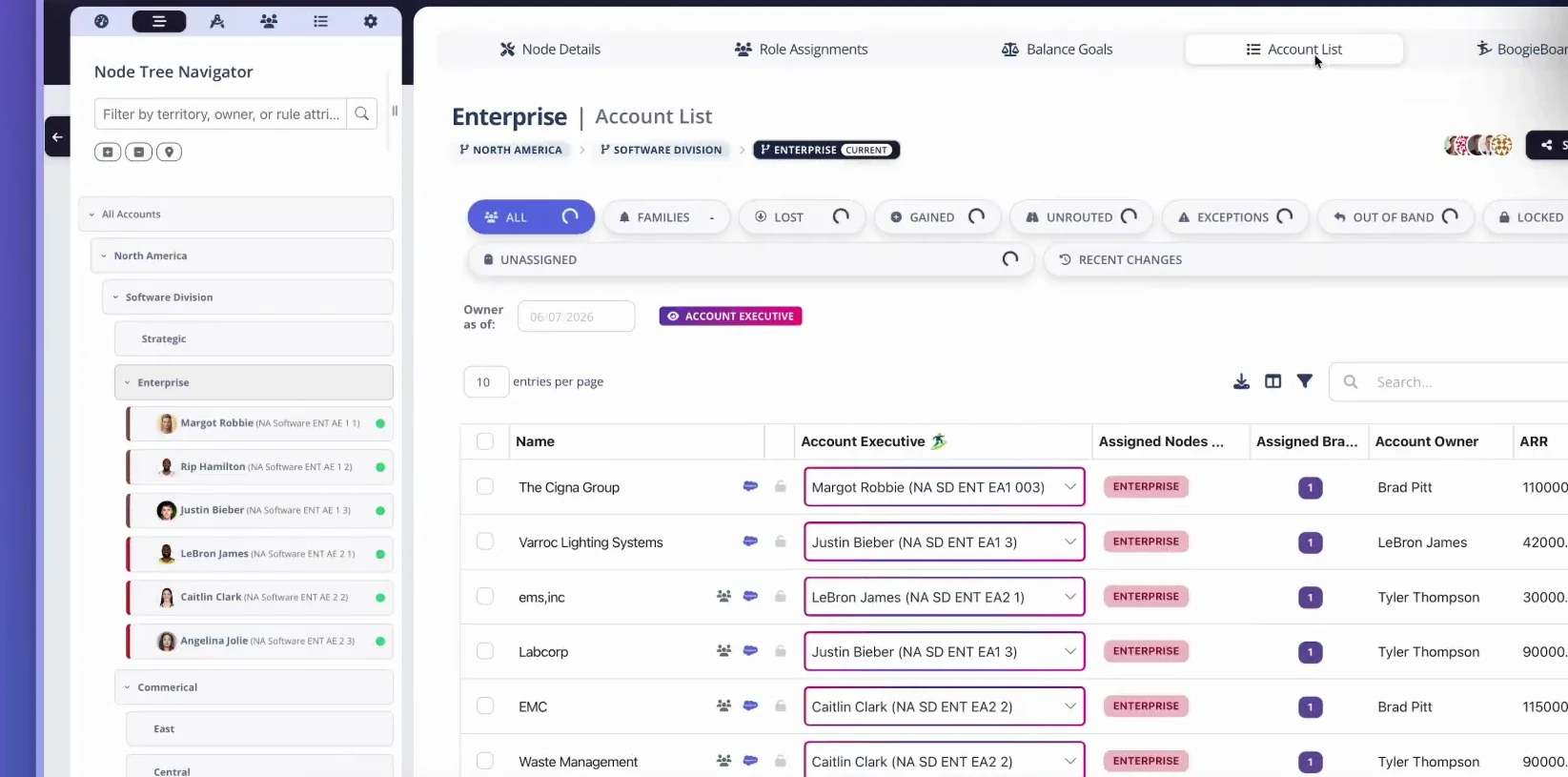
See Territory Planning in Practice
The BoogieBoard YouTube channel shows territory workflows you can use to evaluate what happens after account data reaches the planning process.
Related Content
Schedule a Live Demo to review your account data and territory-planning workflow with BoogieBoard.