
Your go-to-market model, built in minutes.
Lay out regions, segments and territories as a tree. Describe who belongs where with an easy Logic Builder. BoogieBoard routes every account to its place — and shows exceptions and gained or lost accounts at every level of the model.
An operational GTM model, not a slide
From an empty tree to running model
Add a node
Add a region, segment or territory anywhere in the tree and give it a name.
Describe it
Build its rules in the Logic Builder — or describe the accounts in plain English.
Watch accounts route
Matching accounts flow into the node and down to its territories, with live counts.
Track every level
Open any level to see its exceptions, unrouted accounts and what it gained or lost as you design.
Add a node. Describe it. Done.
- Fields from your own data: text, numbers, dates and picklists
- AND, OR and NOT groups for real-world exceptions
- A live count of matching accounts while you build
Or just say what you mean
See exceptions and changes at every level
- Exceptions: accounts assigned where the rules don't place them
- Gained and lost accounts for every territory
- Show Me Why explains any assignment
The model and the numbers, side by side
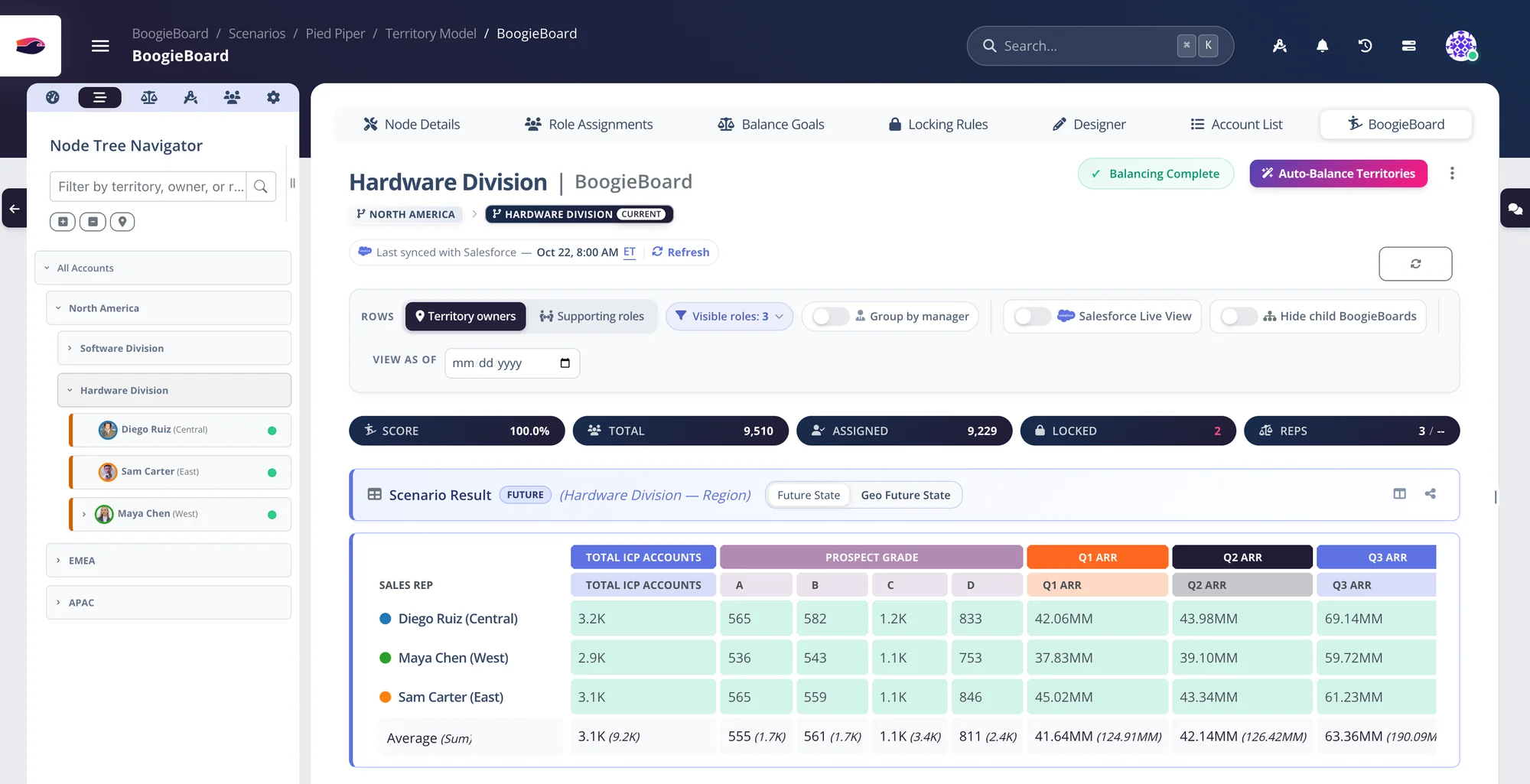
The territory tree on the left; totals, assigned, locked accounts and the BoogieBoard for whichever node you select.
Territory model questions
What is a territory model?
It's your go-to-market structure (regions, segments and territories) with a rule for who belongs in each. In BoogieBoard it's a tree of nodes, and accounts route down it automatically.
Do we need SQL or code to write the rules?
No. The Logic Builder uses the fields in your data with plain operators, and AND, OR and NOT groups cover complex cases. You can also describe the accounts in plain English and let AI write the rules.
What happens to accounts that don't match any rule?
They show up as unrouted on the node where they stop, so you can see exactly which accounts need a rule. Accounts assigned to a territory that the rules would send elsewhere show up as exceptions.
Can we start from our Salesforce territory model?
Yes. Import your Enterprise Territory Management model, then let BoogieBoard suggest the rule that best describes each territory you imported.
Keep exploring
See your own territories balanced — on the first call.
Bring a CSV or connect Salesforce. We'll build a balanced plan from your real accounts while you watch.