
Territories balanced to the goals you actually care about.
Pick what fair means for your team — ARR, account count, renewals by quarter, tier mix — and Auto-Balance carves books that hit every goal at once. Live deals stay put, disruption stays low, and every run can be undone.
Everything you need to carve fair books
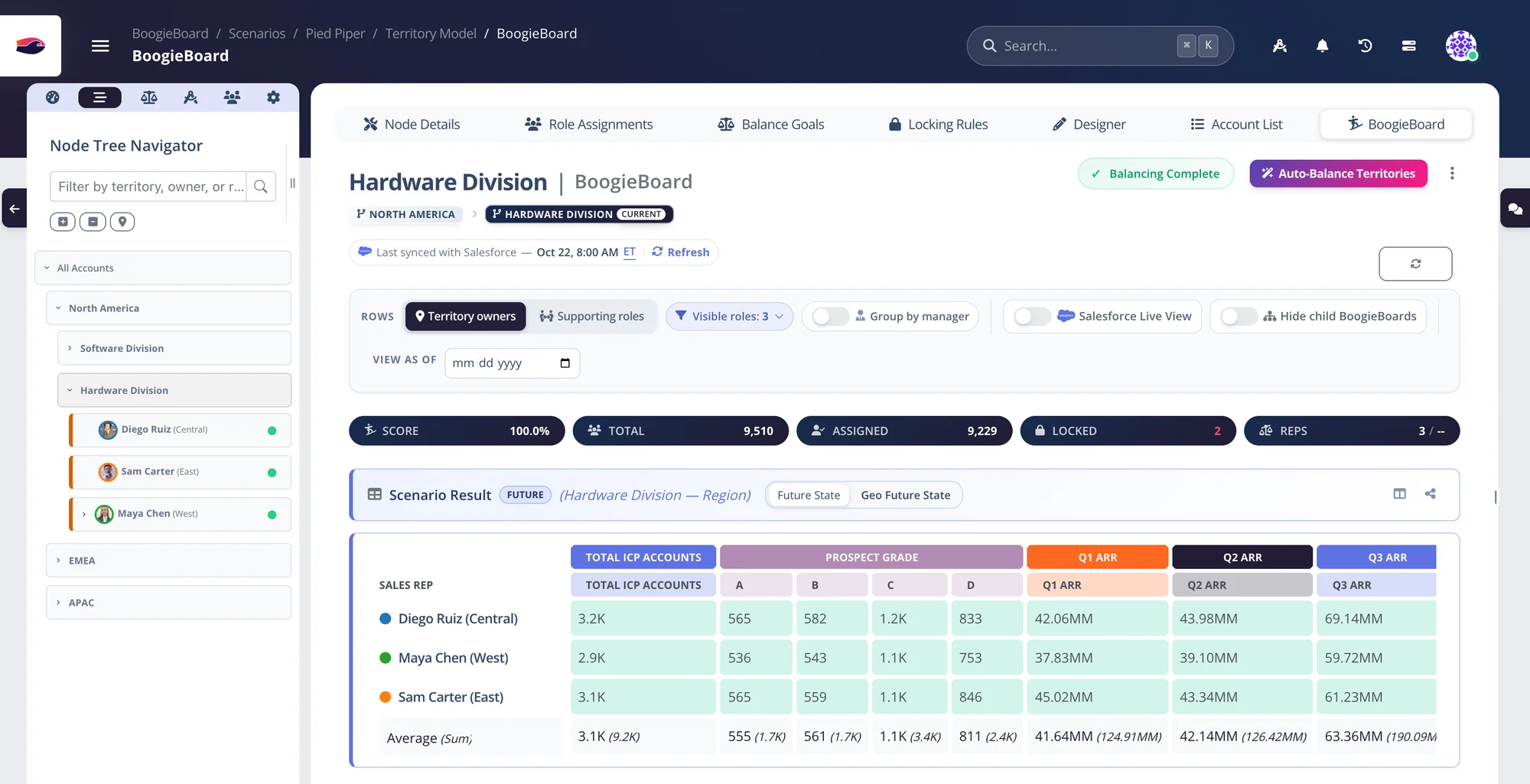
The BoogieBoard, live
Every territory a row, every goal a column, every cell scored against your threshold — and Auto-Balance one click away.
Balance, limit and score — on any field you have
Text, numbers, true/false or dates: if it's on the account, you can plan on it. Start from a guided template and stack as many goals as fairness takes.
Pick a goal. See every territory against it.
- Balance: share ARR, account count, renewals by quarter or industry mix evenly across territories
- Limit: cap what a territory can hold, like no more than 300 accounts or a set share of the total
- Score: place your most important accounts first, or keep accounts with their current owner
Decide exactly how accounts are distributed
Layer roles, locks, limits and priorities on top of your goals. The AI balances inside every rule you set, and you can still adjust by hand.
Balance each role on its own, sized to quota
- A ramping rep with a smaller quota gets a proportionally smaller book
- Set quota per role assignment, or distribute a total across territories
- Every goal is scored within the role, on the same BoogieBoard
Lock accounts to the territory they belong in
- Test a rule to preview what it would lock before it runs
- Rules inherit down the territory tree; later rules win
- Every lock can explain why it exists
Cap any territory at what a rep can cover
- Cap account count, a property total or ownership change
- Apply limits to a branch or to specific territories
- Distance and time-zone limits for geographic books
Your best accounts are placed first
- Prioritize the highest or lowest values of any field
- Or prioritize specific values, like Tier A
Move only the books that need to move
- Receive only for new hires, release only for overloaded books
- Minimize change by retained owner or retained territory
- Save the setup as a profile and rerun it next quarter
Run it, review it, tweak it by hand
Every run is explained and reversible — and the result is a starting point you can refine, not a black box you have to accept.
One click. Every goal at once. A record of every run.
- Before, retained, removed, added and after for every book
- One-click undo that restores assignments exactly
- Keep account families together in every run
Fine-tune the result in bulk, then lock it in
- Bulk-assign from any filtered account list
- Manual locks expire on their own and outrank locking rules in the same role
- The BoogieBoard shows the effect straight away
Score the plan against Salesforce today
- Optimization Score for the plan and for today
- Gained and lost accounts for every territory
- How many accounts change owner, before you push
Place a new list without touching anyone else
- Start from any filtered account list
- Receive-only books keep current accounts in place
- Place accounts anywhere in the scenario, to goal
Balanced for whatever you're balancing
Hybrid books by type
Give every rep the same mix of customers and prospects instead of a pile of one.
Renewals evened by quarter
Spread renewal dates so nobody gets a brutal Q4 and an empty Q1.
Prospect grades at year-end
Put your scoring model to work: every rep gets a fair share of A, B and C accounts.
Quota-weighted books
Size each book to its quota share, so a ramping rep gets a ramping territory.
Supporting-role books
Split one territory into distinct BDR books and balance those too.
Geographic books
Balance by ZIP, state or country while keeping territories contiguous.
For the first time, territory carving felt like a strategic advantage, not a necessary evil. My team walked away with clarity and confidence, and that's invaluable.
Territory design questions
What can I balance territories on?
Any field on the account: text, numbers, true/false or dates, including calculated fields and rollups from Salesforce objects like open pipeline. Common goals are ARR, account count, renewal dates by quarter, industry or tier mix and prospect grades.
Is Auto-Balance AI?
Yes. Auto-Balance is BoogieBoard's AI territory design. With one click, it explores a huge number of options and recommends territory designs that hit your balance goals while following the go-to-market logic in your territory model. You see exactly what would change, and every run can be undone.
Will rebalancing disrupt my reps?
Only as much as you allow. Add a minimize-reassignment goal, lock accounts with open opportunities, and set territories to receive-only or release-only. Every run lists exactly what moved and can be undone in one click.
Can senior and junior roles be balanced differently?
Yes. Each role group is balanced on its own — Enterprise AEs against Enterprise AEs, Commercial AEs against Commercial AEs — and each rep's book is sized to their share of that role's quota.
Can I cap how many accounts a territory gets?
Yes. A limit goal sets the maximum number of accounts a territory can hold, scoped to a branch or specific territories. Add a priority goal and, when not everything fits, your highest-value accounts are placed first.
Can I balance overlay roles like BDRs and SEs?
Yes. Supporting roles can have their own distinct books inside a territory, and Auto Balance Supporting Roles splits them to goal — then honors those books when pushing to Salesforce.
Keep exploring
See your own territories balanced — on the first call.
Bring a CSV or connect Salesforce. We'll build a balanced plan from your real accounts while you watch.