
What Is Territory Management?
💡 Territory management is the discipline of maintaining and adjusting live sales territories after they have been designed and launched. It is not the design project, or major realignements, and it is not just lead routing. It is the ongoing operational work of keeping territories healthy, balanced, and aligned with business goals.
At its core, territory management answers the question:
🗣️ “Once our territories are live, how do we adapt them as people, accounts, and markets change?”
This guide focuses on how to do that work using Salesforce’s native tooling, what the platform provides, where each feature fits, and how to structure your system for clarity and scalability.
Principles of Healthy Territory Management
Healthy territory management follows a few consistent principles. These ensure the system is scalable, auditable, and clear:
- Operationalize Rules of Engagement. Codify business logic (who owns what, how exceptions work) so it can be automated consistently.
- Quantify Balance. Define measurable criteria (potential, revenue, workload index) as the North Star for equity.
- Preserve Forecast and Quota Integrity. Territories must always roll up cleanly into forecasts and reports, with no gaps, overlaps, or orphans. Quotas should map clearly to territories.
- Protect Customer Continuity. Reassign in ways that preserve active relationships and avoid “orphan windows.”
- Use a Territory Label. Distinguish account ownership from territories for ultimate clarity.
- Iterate vs. Overhaul. Know when to make small adjustments vs. when it’s time to redesign.
Two Technical Models: Owner-Centric vs. Territory-Based
💡 Sales organizations use one of two models in Salesforce to manage territories:
👤 Owner-Centric Model
- Accounts are tied directly to people (via the standard Owner field or custom fields like “AE,” “BDR,” or “CSM”).
- Forecasts, quotas, and reporting roll up to individuals.
- When people leave, join, or shift, coverage requires mass record changes.
- This model works for small or early-stage teams, but challenges appear quickly as headcount grows.
📍 Territory-Based Model
- Accounts are tied to territories (durable, structural units).
- Reps flow in and out of those territories without breaking continuity.
- Forecasts and reporting roll up by territory, not just by individual.
- This model provides stability, equity, and scalability for larger or more complex organizations.
👉 Many companies start with the Owner-centric approach and evolve toward territory-based management as scale, complexity, and reporting requirements increase.
Common Scenarios That Trigger Territory Management
💡 Everyday events force changes to coverage. How you handle them depends on your model:
👤 ➖ A Rep Leaves the Company
Owner-centric: Ops or Sales Leaders manually change the Account Owner to either temporary coverage or another permanent rep. This dissolves the historical “book,” disrupts forecasts, and can leave customers temporarily orphaned.
🌞 Before Rep Leaves Account = Acme Corp Account Owner = Jane Smith 🌙 After Rep Leaves Account = Acme Corp Account Owner = Jamaal Johnson
Territory-based: The accounts remain assigned to the territory. The territory is stable, the rep is fluid. Assign a new coverage to the territory. All accounts, rollups, and reporting remain intact.
🌞 Before Rep Leaves Account = Acme Corp Territory = Territory 1 Sales Rep Covering Territory 1 = Jane Smith 🌙 After Rep Leaves Account = Acme Corp Territory = Territory 1 Sales Rep Covering Territory 1 = Jamaal Johnson Account Owner = Jamal Johnson
👤➕ A New Rep Joins
Owner-centric: The new hire is given a handful of accounts taken from peers. Peers complain, customers get shuffled, and reporting loses consistency.
Territory-based: A vacant territory is created ahead of time with balanced potential. Existing reps provide temporary coverage until the new hire starts. On day one, the new rep inherits a clean, reportable unit without disruption.
❌ 🏢 An Account Is Disqualified
Dropping or re-qualifying accounts is itself a form of territory management.
Owner-centric: Removing accounts is handled one at a time, often ad hoc.
Territory-based: Accounts can be added to or removed from territories systematically. This preserves reporting continuity and allows Ops to analyze how many accounts were dropped or added across territories over time.
🤝📈 Loads of New Customers
Sometimes companies will close so many new logos that it is difficult to create books for relationship managers without customers experiencing thrash.
Owner-centric: Ops responds by flipping owners on an ad hoc basis.
Territory-based: Ops can model the impact in Territory2Model, preview coverage and forecast changes, and either make a surgical adjustment or escalate into a full redesign if the shift is significant.
How Salesforce Matters in Territory Management
💡 Salesforce is the system of record for accounts, opportunities, and ownership. Territory management in Salesforce determines who owns what, who can see what, and how performance rolls up.
It touches:
- Account ownership & visibility (who gets credit, who can work the account).
- Forecasting & reporting (how pipeline and attainment roll up by territory, team, or rep).
- Collaboration (how Account Teams and Opportunity Teams supplement territory rules).
- Routing (how new leads and accounts are automatically assigned).
👉 Understanding Salesforce’s tools is key to building a territory management system that enforces the principles above.
Tools at Your Disposal for Territory Management
💡 Every account in Salesforce requires three things:
1) Account Owner — Accountability
- Purpose: A single, required point of accountability.
- Strengths: Simple reporting, “My Accounts” views, clear accountability.
- Limits: One per Account. Mass owner changes break forecasts. Not a territory model.
- Best practice: Keep it as the accountability field, but do not stretch it into coverage or collaboration.
2) Account Teams — Collaboration
- Purpose: Provide structured, multi-user access to an Account.
- Strengths: Cross-functional visibility. Role clarity (AE, SE, CSM). Activity tracking.
- Limits: Does not drive forecasting or coverage.
- Best practice: Use when collaboration is needed.
3) Opportunity Teams — Deal Execution & Splits
- Purpose: Support multi-role collaboration and transparent credit at the deal level.
- Strengths: Adds specialists (SE, Legal, Partner Mgr). Aligns comp via Revenue or Product Splits.
- Limits: Does not grant Account access. Not account-level coverage.
- Best practice: Use for tactical, deal-level execution and comp fairness.
4) Enterprise Territory Management (ETM 2.0) — Coverage & Forecast Backbone
- Purpose: Provide the rule-based framework for account coverage and forecast rollups.
- Strengths: Stable territories. Auto-assign Accounts. Model scenarios before activation. Clean rollups. Inform many other third-party tools for routing, quotas, reporting and forecasting.
- Limits: Does not natively assign Leads. Requires configuration and clean data.
- Best practice: Treat ETM as the structural anchor. Territories are stable, reps are fluid. Specialized tools can automate configuration, rebalancing, and syncing assignments back to Salesforce.
5) Custom Ownership Fields — The Anti-Pattern
- Purpose (intended): Track AE, BDR, CSM, etc. with extra lookup fields.
- Reality: Creates technical debt. Invisible to forecasts. Requires duplicate automation. Scales poorly.
- Best practice: Avoid. Use Account Teams for collaboration. Use ETM for coverage.
Why Account Owners Aren’t Enough
💡 Both the single Owner field and custom owner-like fields (AE, BDR, CSM) are just variations of the owner-centric model. They work in simple setups but create challenges as complexity grows:
- One-to-One vs. Many-to-One
- Owner fields tie accounts directly to people. Accounts often require multiple reps, even multiple territories.
- Example: A healthcare account needs both an AE and an overlay.
- Fragile Forecasting
- Forecasts only recognize Account Owner and Territory2. Custom fields are ignored.
- Example: A SaaS org adds AE and BDR fields. Forecast dashboards stay empty for BDRs.
- Manual Churn
- Every rep change means mass record updates cascading to Opps, Contacts, and Cases.
- Example: 300 accounts reassigned after a resignation. Attribution lost. Historical reporting breaks.
- Technical Debt
- Each custom field requires parallel flows, reports, and routing. Complexity balloons.
- Example: AE, BDR, and CSM fields force Ops to maintain duplicate automation. Adding a new role breaks everything.
👉 Bottom line: Owners (standard or custom) are people fields, not territory objects. They can track accountability but cannot define, automate, or report on the structural unit that a territory represents. That is what ETM was built to do.
Architectures for Territory Management
How organizations combine Salesforce tools into operating models:
1) Basic: Owner-Only Model
- How it works: One Owner per Account. Manual reassignment when people change.
-
Example: A 10-rep startup reassigns 150 accounts via spreadsheet after a resignation. Forecasts break. Reps complain about equity. 👉 Works in tiny teams. Fragile at scale.
2) Intermediate: Owner + Account Teams
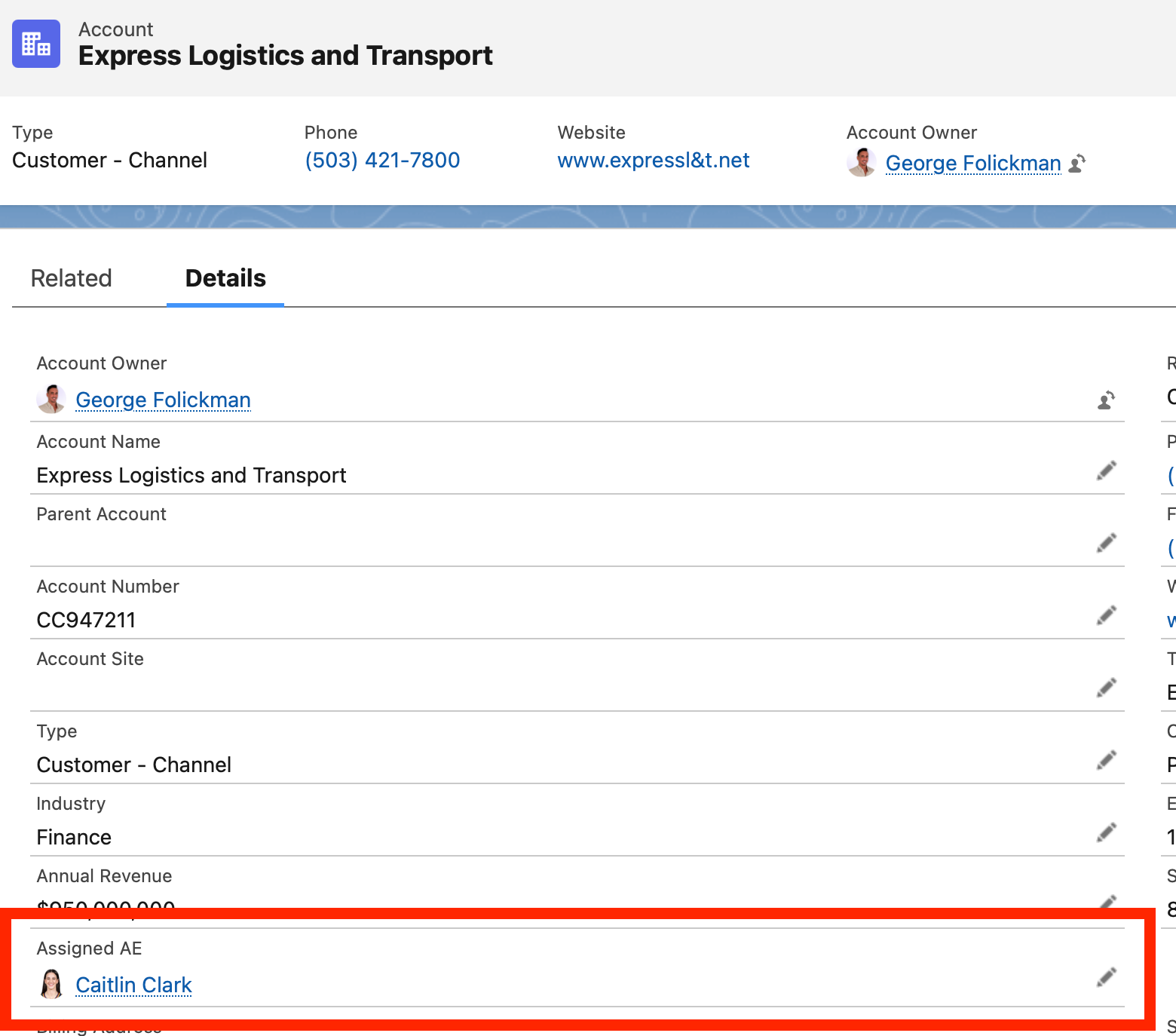
- How it works: Owner for accountability. Teams for collaboration. Often bolted on with custom fields for AE, BDR, CSM.
- Why it struggles:
- Forecasts ignore custom fields.
- Automation debt grows.
- Weekly manual exports become the norm.
-
Example: Mid-market SaaS adds custom fields. Forecasts fail. RevOps lives in Excel. 👉 Useful in the mid-stage, but custom ownership fields create long-term problems.
3) Advanced: Enterprise Territory Management (ETM)
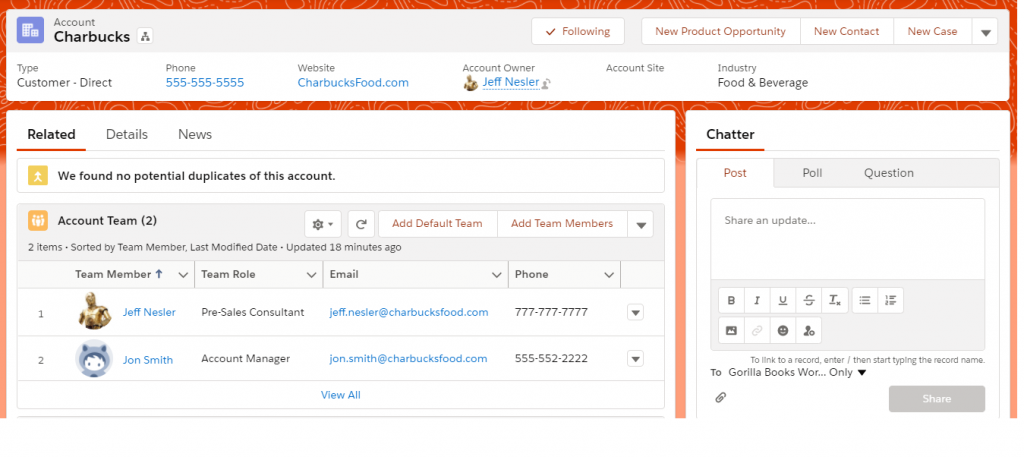
- How it works: ETM rules assign Accounts to territories. Owners and Teams layer on top.
-
Example: A 200-rep med-device firm creates “Northeast • Cardiac Hospitals.” When the AE changes, Ops assigns a new user to the territory. Forecasts & quotas remain intact. 👉 Scalable, auditable, automated.
See Also: Salesforce ETM Setup Guide
4) Best-in-Class: ETM + External Platforms
- How it works: ETM is the execution backbone. External platforms handle scenario modeling, optimization, and quarterly rebalancing.
-
Example: A Fortune 500 runs optimization externally and syncs changes into ETM in hours. Salesforce remains the system of record. 👉 ETM plus specialized software equals maximum agility and continuous alignment.
ETM Object Model Primer
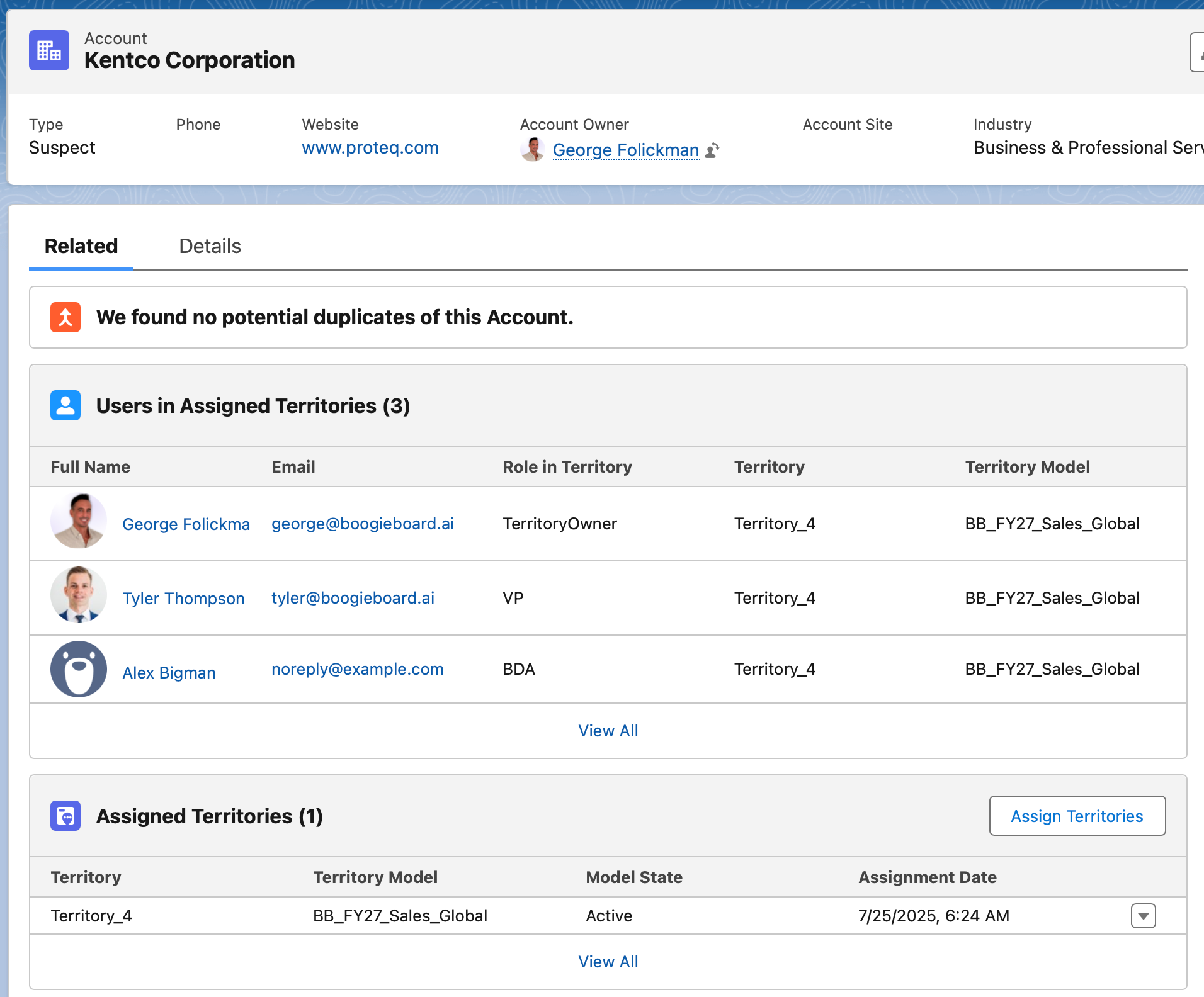
💡 ETM is not just a label. It is a linked set of Salesforce objects:
- Territory2Model — the plan, only one Active at a time.
- Territory2 — the territory record (stateful, reportable).
- Territory2Type — category (Geo, Segment, etc.).
- UserTerritory2Association — users ↔ territories.
- ObjectTerritory2Association — accounts ↔ territories.
- Territory2Rule / RuleItem — criteria for assignment.
This structure ensures forecast integrity and reporting continuity even as reps change. The territory, not the rep, is the durable unit.
Governance: Who Owns Territory Management?
- RevOps — Owns ETM configuration, data quality, automation, reporting.
- Sales Leadership — Owns strategy and quotas.
- Frontline Managers — Provide feedback on workloads and customer continuity.
- Executives — Trigger redesigns when strategy shifts.
👉 Critical: Assign a Forecast Manager to every Territory2. Missing managers break rollups.
Territory Management and Routing
- ETM governs Accounts (and optionally Opportunities).
- Leads are routed separately via Lead Assignment Rules, ideally referencing the Account’s territory.
- Without ETM, routing becomes brittle, misroutes and duplicates rise.
- Many third-party routing, quota, and forecasting tools also respect ETM, making it the most stable foundation.
When to Manage vs. When to Redesign
Manage (frequent, lightweight):
- Rep leaves → add replacement to territory.
- Account disqualified → rebalance lightly.
- New rep joins → carve a starter territory.
Redesign (strategic, infrequent):
- Annual or semi-annual planning.
- Major GTM shift (new product or segment).
- M&A integration.
- Persistent imbalance.
Most activity should be management. Redesigns are deliberate and modeled first.
Best-Practice Checklist
- ✅ Enable ETM (2.0) as the system of record.
- ✅ Assign a Forecast Manager to every Territory2.
- ✅ Use Account Owner for accountability, not coverage.
- ✅ Layer Account and Opportunity Teams for collaboration and deal credit.
- ✅ Automate Account (and optional Opportunity) assignment with ETM rules.
- ✅ Keep Lead routing aligned, referencing the Account’s territory.
- ✅ Review territories quarterly. Redesign annually or when strategy changes.
- ✅ Maintain governance: RevOps owns the system, Sales owns the strategy.
Closing Thought
Territory management is not about a single feature. It is about applying operational discipline through Salesforce’s tooling to keep coverage equitable, forecasts accurate, and customers supported.
Define accountability clearly, enable collaboration with Teams, anchor coverage and rollups in ETM, govern with clarity, and iterate thoughtfully.
Do this well and you get equity, forecast accuracy, aligned quotes, and durable productivity without the chaos.