
Quick Start
🚀 Quick Start: Copy the Master Visual Design Prompt below, fill in the [brackets], and send it to your AI assistant to kick off your design system.
Overview of This Guide
Get a polished SKO deck (see example here) in hours—no design team required. This guide walks you through every step to build a professional Sales Kickoff presentation for your new Sales Territories using AI.
Prep Checklist
✔️ Run the Master Visual Design Prompt first
✔️ Don’t edit anything outside [brackets]
✔️ Use the same chat thread for Sections 1–10
What You’ll Create

Part I: Strategy (Sections 1–3)
- Previous Year in Review
- This Year’s Big Picture
- Redefining Customer Focus
Part II: Methodology (Sections 4–7)
- Market Opportunity
- Rep Expectations
- Territory Design Method
- Account Data Strategy
Part III: Rollout & Support (Sections 8–10)
- Rules of Engagement
- Results
- FAQ & Resources
What Are “Prompts” and How Do They Work?
- A prompt is a set of instructions that tells the AI exactly what to create.
- Each prompt contains complete instructions and [bracketed areas] for your information.
- Copy one prompt at a time, replace only the text inside [brackets], and paste it into your AI chat.
- The AI will follow these instructions to generate slides based on your input.
Think of each prompt as a fill-in-the-blank template for your specific details.
How to Use This Guide (Even if You’ve Never Used AI)
What You’ll Need:
- Access to Claude, ChatGPT, or Gemini (all have free tiers)
- Your company’s website URL
- Details about your Sales Territories
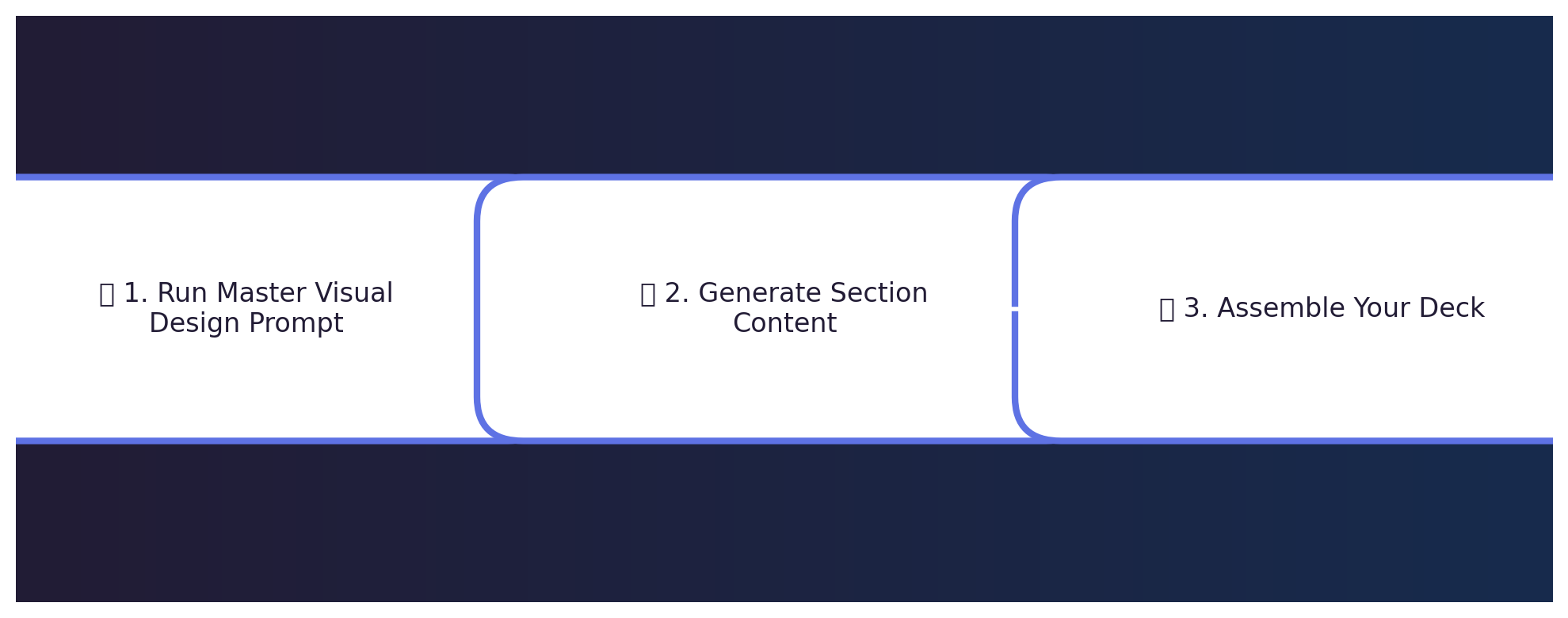
Step 1: Set Up Your Design (5–10 minutes)
- Open your AI assistant.
- Copy the entire Master Visual Design Prompt (below).
- Paste it into your AI chat.
- Replace only the [brackets] with your company name, URL, and chosen style.
- Send and save the AI’s design recommendations.
Step 2: Generate Section Content (10–15 minutes per section)
- Copy the entire prompt for Section X (below).
- Paste into the same AI chat.
- Replace only the [brackets] with your details.
- Send and save the generated slides.
- Repeat for Sections 1–10 in order.
Step 3: Assemble Your Deck (30–45 minutes)
- In Google Slides, start a new presentation.
- Copy AI-generated content from each section.
- Paste into slides following the design recommendations.
- Add your company logo.
- Review, tweak, and present.
Example: Replacing Bracketed Information
Original:
- Coverage model: [e.g., geographic territories, industry-based, named accounts]
Updated:
- Coverage model: Geographic Territories divided by state with 15 Sellers
THE PROMPTS
Below are all the prompts you need. Copy each one, starting with the Master Visual Design Prompt, then move through Sections 1–10.
Master Visual Design Prompt: Creating Your Presentation’s Look and Feel
What this prompt does: Analyzes your website to extract brand colors, fonts, and visual style. Run this FIRST.
I need to create a visually cohesive Sales Kickoff presentation to announce our new Sales Territories. Please help me establish a consistent design system based on my company's existing brand.

MY INPUTS:
1. Company name: [Insert your company name]
2. Company website URL: [Insert your company website]
3. Preferred presentation style (choose one):
   - Modern and minimal
   - Bold and energetic
   - Corporate and traditional
   - Data-focused and analytical

Please analyze my company website to determine our brand colors, typography style, and visual elements. Then create a consistent slide design system for my Google Slides presentation that includes:

1. A title slide design that captures attention
2. Section divider slide design to clearly separate major topics
3. Standard content slide layout with space for headers and bullet points
4. Data visualization slide layout for charts, Territory maps, and metrics

Design principles to follow:
- Keep slides clean with 3–5 bullet points max
- Prioritize visual communication over text when possible
- Use adequate white space to prevent overcrowding
- Incorporate simple icons or graphics that match our brand aesthetic
- Use consistent headers, fonts, and color schemes throughout

Please provide a brief description of the recommended design system and how I should apply it across all sections of my presentation.

// SPEAKER NOTES: [Add 2–3 bullets here]
Section 1: Previous Year in Review – Setting the Foundation
What this section does: Reviews your previous Territory model, highlighting successes and challenges.
I need to create the "Previous Year in Review" section for my Sales Kickoff presentation about our new Territory Design. Please follow the design system established earlier for consistency. Create 3–4 slides that reflect on our previous coverage model and set the stage for announcing changes.

MY INPUTS:
1. Previous sales model basics:
   - Coverage model: [e.g., geographic territories, industry-based]
   - Territory structure: [e.g., "20 Sellers covering 5 regions"]
   - Account assignment method: [e.g., "accounts assigned by industry vertical and company size"]

2. Previous model performance:
   - What worked well: [List 2–3 successes with data]
   - What didn’t work: [List 2–3 challenges]
   - Overall attainment: [e.g., "Team achieved 87% of quota"]

3. Previous Ideal Customer Profile:
   - Key attributes: [List 3–5 attributes]
   - Scoring methodology: [Brief description]
   - Target market definition: [How you defined TAM/SAM/SOM previously]

4. Key learnings:
   - Data quality issues: [Any problems with data]
   - Market changes: [Significant shifts]
   - Seller feedback: [Common themes]

Please create slides that include:
- A section title slide with an engaging headline
- Content slides with concise bullet points (max 5 each)
- Suggestions for simple data visualizations

// SPEAKER NOTES: [Add 2–3 bullets here]
Section 2: This Year’s Big Picture – Strategic Direction
What this section does: Links Territory changes to company goals and market shifts.
I need to create the "This Year’s Big Picture" section for my Sales Kickoff presentation. Follow the design system. Create 2–3 slides that:

MY INPUTS:
1. Company direction:
   - Annual revenue target: [Insert goal]
   - Growth percentage goal: [Insert %]
   - Strategic priorities: [List 2–3 priorities]
   - Executive mandate: [CEO/CRO statement]

2. Market changes:
   - Industry trends: [List]
   - Competitive landscape: [Brief description]
   - Customer behavior shifts: [How needs changed]
   - New opportunities: [Emerging segments]

3. Collaboration process:
   - Key Stakeholders: [Departments/leaders]
   - Data sources: [Internal/external]
   - Seller feedback: [How gathered]
   - Timeline: [When this work occurred]

4. Impact on Sellers:
   - New expectations: [How day-to-day changes]
   - New tools/resources: [Support available]
   - New metrics/KPIs: [How success measured]
   - Transition timeline: [When changes take effect]

Please create:
- A section title slide with a forward-looking headline
- Content slides with clear bullet points (max 5)
- Visual suggestions representing strategic direction

// SPEAKER NOTES: [Add 2–3 bullets here]
Section 3: Redefining Customer Focus – Target Customer Evolution
What this section does: Explains how your Ideal Customer Profile has evolved.
I need to create the "Redefining Customer Focus" section for my Sales Kickoff presentation. Follow the design system. Create 2–3 slides that:

MY INPUTS:
1. Previous vs. new ICP attributes:
   - Previous focus: [e.g., "500+ employees, manufacturing"]
   - New focus: [e.g., "200–2000 employees, six industries"]
   - Key attribute changes: [List additions/removals]
   - Reasons for changes: [Why they changed]

2. Success indicators:
   - Characteristics: [Traits of top customers]
   - Behavioral patterns: [High-value signals]
   - Negative indicators: [Red flags]
   - Buyer personas: [Key roles to target]

3. New data sources:
   - Enrichment tools: [List]
   - Intent signals: [Tracking methods]
   - Predictive indicators: [Leading signals]
   - Qualification framework: [Scoring process]

4. Impact on targeting:
   - Expanded segments: [Markets with more focus]
   - Deprioritized segments: [Less attention areas]
   - Account migration: [Reclassification process]
   - Expected results: [Projected impact]

Please create:
- A section title slide with a clear shift headline
- Comparison slides (old vs. new)
- Visual suggestions (Venn diagram, before/after)

// SPEAKER NOTES: [Add 2–3 bullets here]
Section 4: Market Opportunity – New View of TAM, SAM, SOM
What this section does: Quantifies your market opportunity and segmentation.
I need to create the "Market Opportunity" section for my Sales Kickoff presentation. Follow the design system. Create 1–2 slides that:

MY INPUTS:
1. Market definitions:
   - TAM: [Size $ / account count]
   - SAM: [Size $ / account count]
   - SOM: [Size $ / account count]
   - Year-over-year change: [%]

2. Market segmentation:
   - Primary segments: [List]
   - Prioritization: [Which get more resources]
   - Growth rates: [Fastest areas]
   - Distribution approach: [Allocation method]

3. Opportunity analysis:
   - Avg deal size: [By segment]
   - Conversion rates: [Historical win rates]
   - Sales cycle length: [Avg time to close]
   - CLV: [Customer lifetime value]

4. Territory implications:
   - Account density: [Distribution method]
   - Opportunity balance: [Revenue balance]
   - Geographic factors: [Any regions]
   - Specialization strategy: [Industry focus]

Please create:
- A title slide on market potential
- Slides with market size and segmentation details
- Visual suggestions (funnel, comparison charts)

// SPEAKER NOTES: [Add 2–3 bullets here]
Section 5: Rep Expectations – Setting Seller Goals
What this section does: Defines new productivity goals and roles for your Sellers.
I need to create the "Rep Expectations" section for my Sales Kickoff presentation. Follow the design system. Create 2–3 slides that:

MY INPUTS:
1. Productivity expectations:
   - Activity metrics: [e.g., "30 qualified meetings/mo"]
   - Pipeline coverage: [e.g., "5x quota in pipeline"]
   - Opportunity progression: [Stage metrics]
   - Account penetration: [e.g., "Multi-thread into 80%"]
   - Target attainment: [New quota]

2. Behavior changes:
   - New focus: [What Sellers prioritize]
   - De-emphasized tasks: [What to cut]
   - Account planning: [New approach]
   - Collaboration: [Cross-functional teamwork]
   - Time allocation: [Divide time guidance]

3. Tools & resources:
   - Enablement tools: [List]
   - Dashboards: [Tracking methods]
   - Training: [Skill development]
   - Support: [Where to get help]
   - Collateral: [New materials]

4. Role definitions:
   - Changed roles: [Job desc updates]
   - Team structure: [Org layout]
   - Specialists: [Product/industry roles]
   - Handoff process: [Lead flow]
   - Career paths: [Growth steps]

Please create:
- A title slide on expectations
- Slides with clear goals and support info
- Visual suggestions (diagrams)

// SPEAKER NOTES: [Add 2–3 bullets here]
Section 6: Territory Design Method – Creating Trust Through Transparency
What this section does: Shows the methodology behind your Territory Planning to build trust.
I need to create the "Territory Design Method" section for my Sales Kickoff presentation. Follow the design system. Create 2–3 slides that:

MY INPUTS:
1. Design principles:
   - Goals: [e.g., "Equitable opportunity distribution"]
   - Balance factors: [Key metrics]
   - Optimization priority: [What we optimized]
   - Constraints: [Limitations]

2. Data analysis:
   - Data sources: [List]
   - Account scoring: [Method]
   - Opportunity weighting: [Calculation]
   - Segmentation criteria: [Groups]
   - Validation: [Testing process]

3. Stakeholder involvement:
   - Executive input: [Leadership role]
   - Manager feedback: [Sales Leaders’ input]
   - Seller consultation: [Frontline input]
   - Cross-team collaboration: [Other departments]
   - Iteration: [Design evolution]

4. Technical methodology:
   - Tools: [Software]
   - Modeling approach: [Frameworks]
   - Scenario testing: [Approach]
   - Final validation: [Checks]

Please create:
- A title slide on methodology
- Slides explaining the process
- Visual suggestions (flowchart, matrix)

// SPEAKER NOTES: [Add 2–3 bullets here]
Section 7: Account Data Strategy – Building Confidence in Your Data
What this section does: Explains how account data was sourced, verified, and used.
I need to create the "Account Data Strategy" section for my Sales Kickoff presentation. Follow the design system. Create 1–2 slides that:

MY INPUTS:
1. Data sources:
   - Internal: [CRM, etc.]
   - Third-party: [Enrichment tools]
   - Market intelligence: [Research data]
   - Historical performance: [Past results]
   - Data cleansing: [Quality steps]

2. Prioritization framework:
   - Tiering: [How we rank accounts]
   - ICP scoring: [Fit measurement]
   - Qualification criteria: [Opportunity rules]
   - Strategic accounts: [Key accounts]
   - Coverage by tier: [Approach]

3. Equity measurements:
   - Balance metrics: [Equality measures]
   - Revenue potential: [Opportunity value]
   - Distribution: [Account allocation]
   - Workload: [Capacity factors]
   - Exceptions: [Case handling]

4. Ongoing data management:
   - Maintenance: [Quality plan]
   - Reassignment: [Process]
   - Routing new accounts: [Lead flow]
   - Validation cadence: [Review schedule]
   - Seller feedback: [Input method]

Please create:
- A title slide on data strategy
- Slides explaining the approach
- Visual suggestions (data flow, distribution)

// SPEAKER NOTES: [Add 2–3 bullets here]
Section 8: Rules of Engagement – Operational Clarity
What this section does: Sets clear guidelines for how Sellers will work under the new structure.
I need to create the "Rules of Engagement" section for my Sales Kickoff presentation. Follow the design system. Create 1–2 slides that:

MY INPUTS:
1. Account ownership rules:
   - Primary owner: [Definition]
   - Multi-region: [Handling]
   - Transition process: [Transfers]
   - Conflict resolution: [Dispute process]
   - Exceptions: [Special cases]

2. Opportunity management:
   - Pipeline transition: [Open deals]
   - Splitting credit: [Commission rules]
   - Partner deals: [Management]
   - Cross-sell: [Process]
   - Handoffs: [Role transitions]

3. Lead routing:
   - Inbound assignment: [Distribution]
   - Territory exceptions: [Rules]
   - Campaign attribution: [Leads]
   - Recycling: [Unworked leads]
   - Lead-to-opportunity: [Conversion]

4. Implementation timeline:
   - Go-live: [Date]
   - CRM updates: [Visibility]
   - Phased rollout: [Details]
   - Support resources: [Contacts]
   - Feedback loop: [Process]

Please create:
- A title slide on operational clarity
- Slides with guidelines and examples
- Visual suggestions (flowcharts, timelines)

// SPEAKER NOTES: [Add 2–3 bullets here]
Section 9: Results – Visualizing the New Sales Territories
What this section does: Shows balance metrics and Territory health.
I need to create the "Results" section for my Sales Kickoff presentation. Follow the design system. Create 2–3 slides that:

MY INPUTS:
1. Balance metrics:
   - Territory count: [# of territories]
   - Account distribution: [Accounts per territory]
   - Opportunity balance: [Revenue balance]
   - Workload equity: [Activity compare]
   - KPIs: [Primary metrics]

2. Health indicators:
   - Revenue potential: [Range]
   - Account count distribution: [Range]
   - ICP alignment: [Fit level]
   - Growth potential: [Rates]
   - Risks: [Challenges]

3. Access instructions:
   - Territory details: [Where to find]
   - Account lists: [Availability]
   - Transition details: [Gains/losses]
   - Dashboards: [Key reports]
   - Support contacts: [Who to contact]

4. Visual elements:
   - Map visualization: [Geographic/conceptual]
   - Balance charts: [Equity metrics]
   - Before/after: [Comparison]
   - Timeline: [Milestones]

Please create:
- A title slide on positive outcomes
- Slides with compelling visuals
- Instructions for accessing details

// SPEAKER NOTES: [Add 2–3 bullets here]
Section 10: FAQ & Resources – Support & Next Steps
What this section does: Wraps up with key links, FAQs, and next steps to support Sellers through the transition.
I need to create the "FAQ & Resources" section for my Sales Kickoff presentation. Follow the design system. Create 1–2 slides that:

MY INPUTS:
1. Reference docs:
   - Rules of Engagement document: [Name/location]
   - Account planning templates: [Where to find]